How I fixed a bug, that Microsoft couldn't
Programming languages’ types
Most modern programming languages have one thing in common — they have data types. But even this common thing is still different between them — type system can be both static, and dynamic; strong, and weak; explicit, and implicit. And the theme of today’s post would be specifically about implicit typing system.
What is implicit typing?
Well, implicit typing can be both in statically typed, and dynamically typed languages. However, when someone says “implicit typing system” most people would imagine a dynamically typed language. And that’s reasonable — statically typed languages can have both implicit and explicit typing, but dynamically typed languages can have only implicit typing.
But wait! Implicit typing is quite a popular feature in modern programming languages: auto in C++, let in Rust, var in C#, etc
1let x: u32 = 10;
2let y = x; // Type of `y` is determined as u32
It’s not as bad as it might seem!
You might think that’s incredibly useless — the developer saves a couple of symbols just to have to remember all the types of used variables!
Thankfully no, that’s not the case. Most modern IDE’s can render so called inline hints, or inlay hints. That’s a ghostly text, rendered similarly to regular comments, and inserted in-between actual code. It has different use cases, including showing the types of said variables
1let x: u32 = 10;
2let y: u32 = x; // IDE automatically detects the type and shows it
However, it’s not all sunshine and rainbows. Neovim and emacs render inline hints as a regular text with a different style applied. But VSCode on the other hand renders them a little differently1
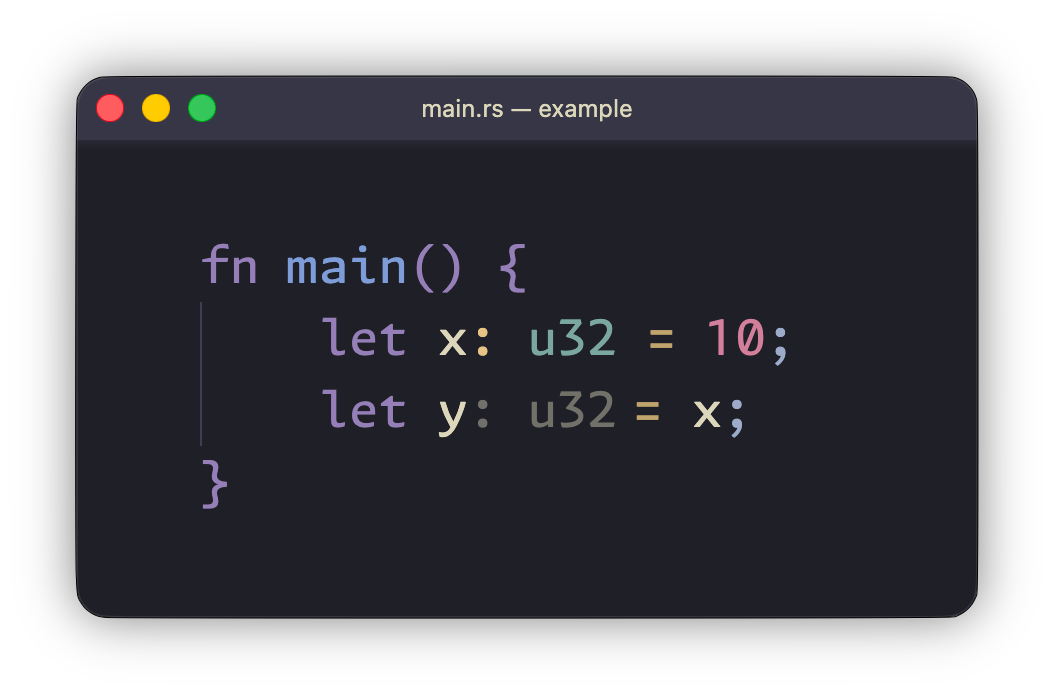
It’s likely that you’ve already spotted the problem. But if not — here’s an additional screenshot with symbol width shown
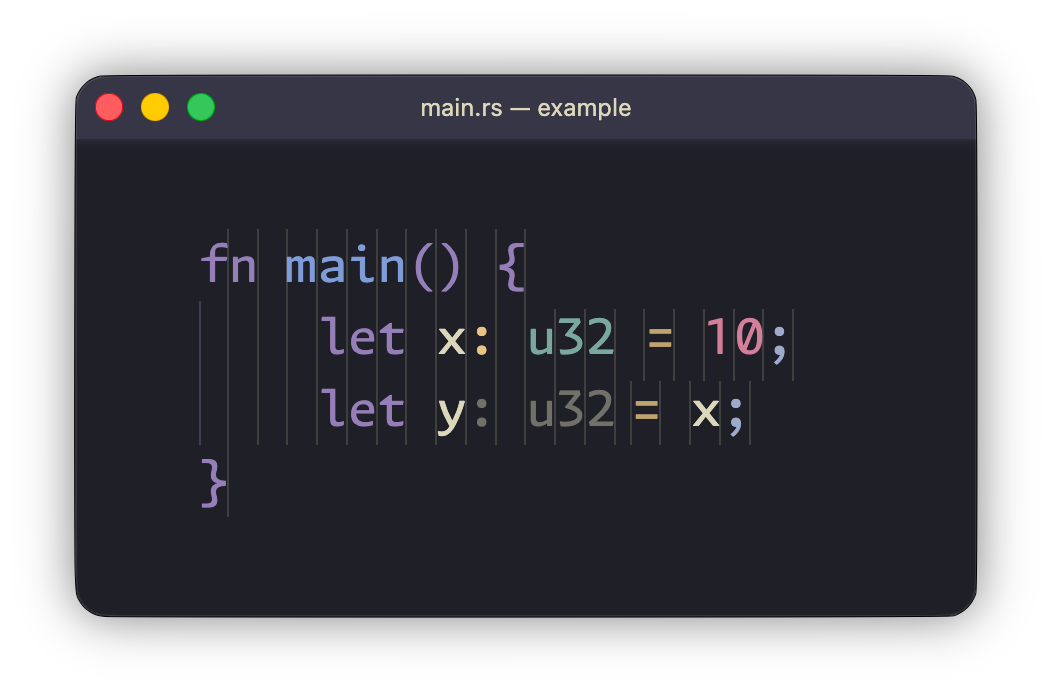
Hopefully this time all of you spotted the problem. But if you still didn’t spot it — right after the inline hint there’s a space, width of which is different to other symbols in my monospaced font.
In search of the problem and solution. Success?
In case you didn’t know — VSCode is just a browser — you can even use it in an actual browser as a regular website. So without any further thinking I’ve opened devtools, and quickly found the element responsible for that specific space after the inline hint. It was a   with this CSS rule:
1.dyn-rule-8-1 {
2    width: 5px;
3    display: inline-block;
4}
Ideally this would be fixed by setting the width to 1ch.
1.dyn-rule-8-1 {
2    width: 1ch;
3    display: inline-block;
4}
Aaand… Hooray! We got it!
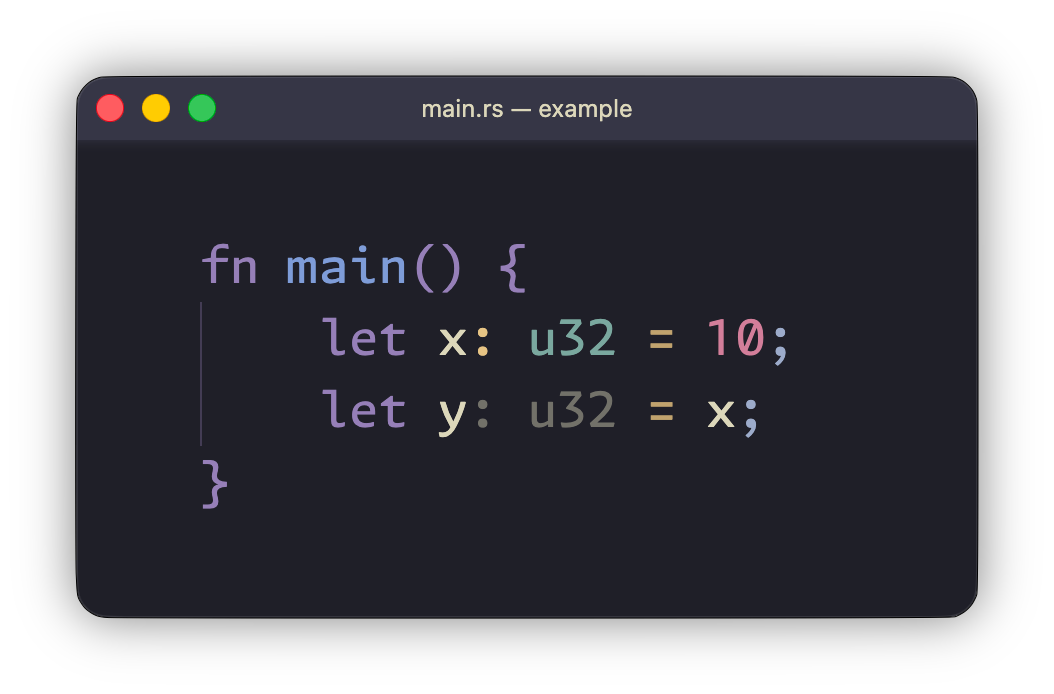
But wait… That was way too easy? It can’t be that a company with a 3 trillion dollar valuation made such a simple mistake?
Well, apparently it can be — they did make that mistake. And yes, it indeed was THAT simple. But as of now it’s just an experiment, and not an actual fix — we still need to make it apply automatically.
For that I’ve used Custom UI Style extension. It allows you to inject your custom CSS rules in runtime. Using it, I’ve made a simple rule, that searches for dyn-rule- and injects width: 1ch !important into it. Here’s the final CSS rule:
1span[class*="dyn-rule-"] {
2    width: 1ch !important
3}
I’ve uploaded it onto my website, imported it in Custom UI Style2, and the problem was fixed!
The problem was not fixed…
Anyway, why does VSCode use such a strange name dyn-rule-*-*?
Well, it’s hard to explain shortly, and to be honest I’m not that familiar with how it works myself. From what I can understand — the main problem is that internal renderer Monaco just doesn’t allow extensions to generate dynamic CSS rules — they are either baked into extensions’ source code, or go through some sort of internal API, that adjusts them to a common form dyn-rule-$0-$1 where $0 — internal extension number, and $1 — incremental number that increases with each requested rule, generated by that extension. As you might’ve guessed from the name — that API is used not only by our language server, but also by other extensions. In my case it was Color Highlight extension.
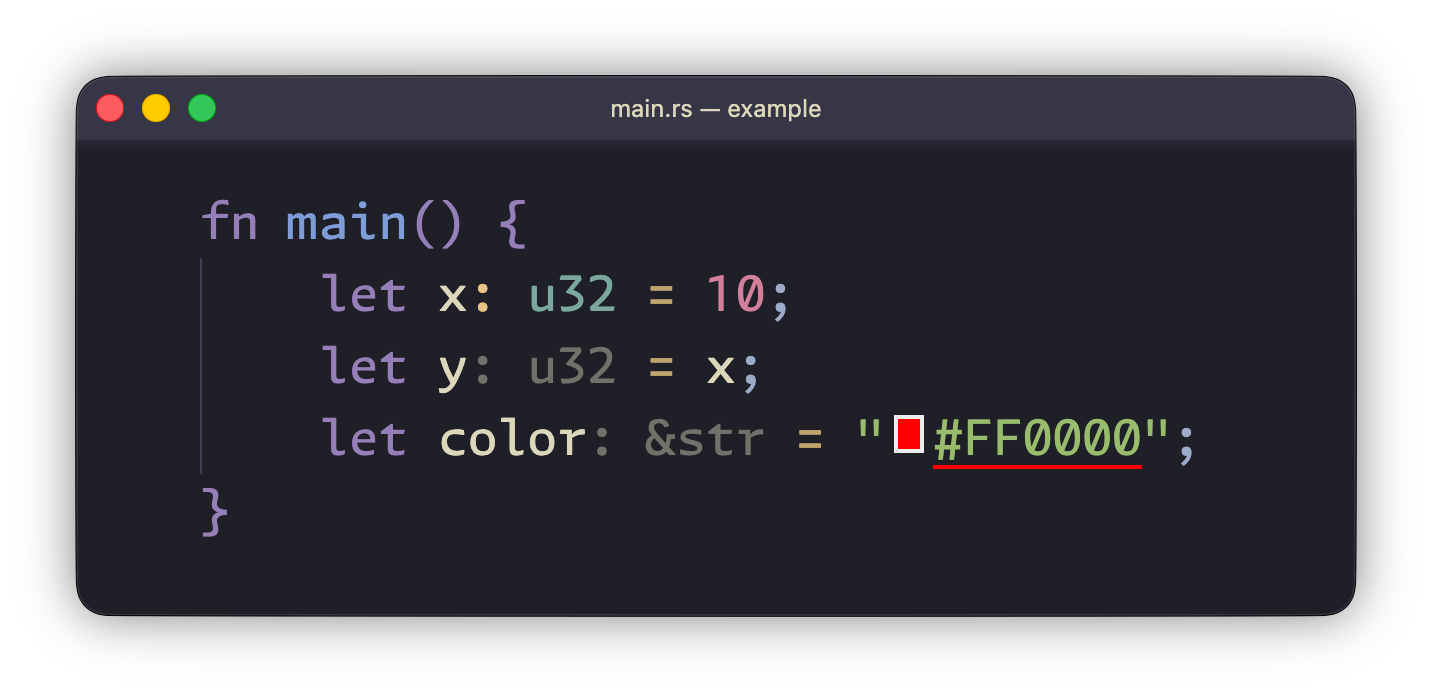
I’ve expected that to happen, just didn’t know where exactly it would happen. But I’ve got lucky — element that showed that colour has its own separate CSS class colorpicker-color-decoration. I can just exclude it from my selector:
1span[class*="dyn-rule-"]:not([class*="colorpicker-color-decoration"]) {
2    width: 1ch !important
3}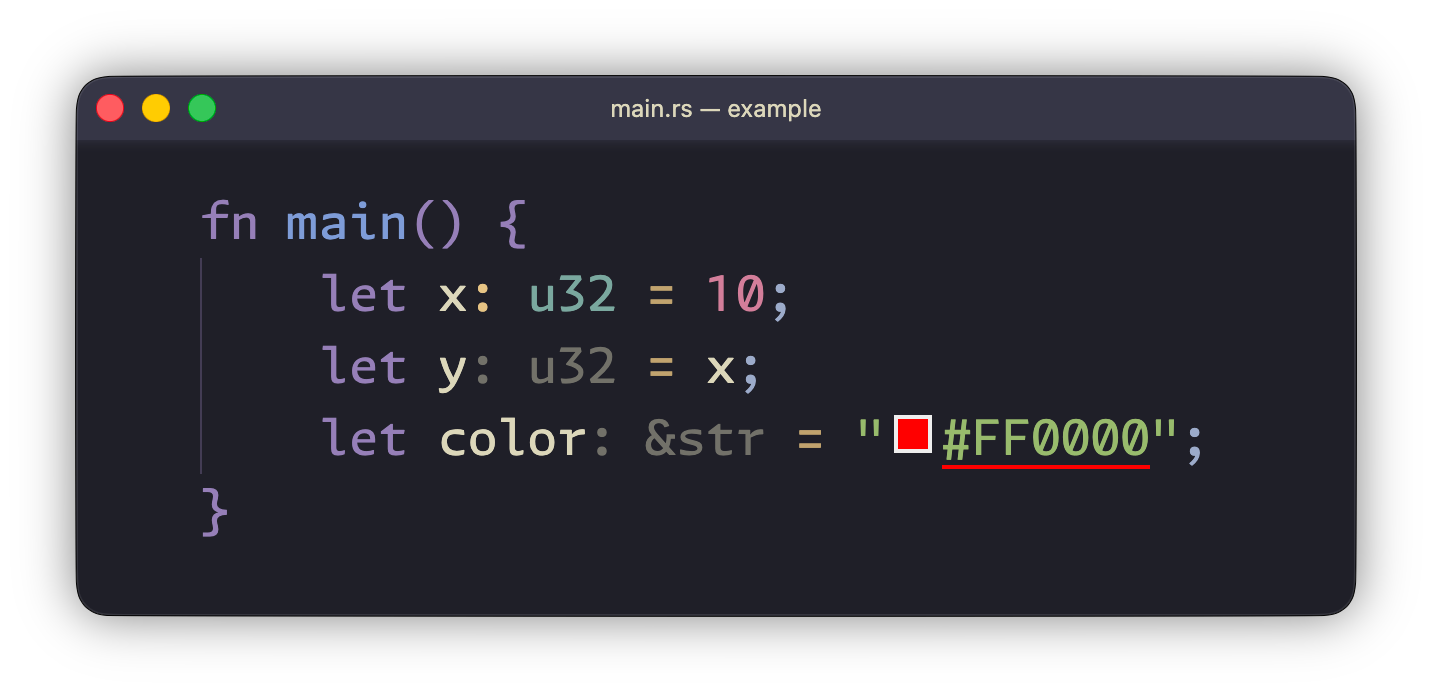
Also, I didn’t mention it, but I did experiment with different widths, and with almost all of them I’ve got another bug — after moving the cursor from a line without inline hint onto a line with one — cursor moved not only vertically, but also horizontally — combined it was producing a diagonal movement. Now I won’t go into that topic, since even rough explanation why that might happen would require me to write same sized wall of text just to explain it. I’ll just say that Monaco is responsible not only for CSS rules generation, but also for controlling the cursor. And it’s just a coincidence that previous width 5px and new 1ch both round to the same cursor offset under the hood.3
Conclusion
To be fair, this is really a niche problem, and I didn’t even notice it at first. After all, those inline hints do their job — they help the developer.
If you’ve read foot-notes — you already know that the problem is not specifically with VSCode/Monaco or dyn-rule-*-*4, but rather in how C/C++ extension uses inline hints. For some reason it manually adds a   and sets its width to 5px.
So, is the title lying to you? Did I never actually fixed a bug in the 3 trillion dollar valuation company? Well, the answer is both yes and no at the same time — the extension is made by Microsoft. But I didn’t fix the bug itself — all I’ve done is made a small patch that just creates an illusion that everything’s working as intended. The bug is still there, just on such a deep layer I don’t want to touch right now.
Actually that’s not the case for ALL the inline hints. Specifically Rust doesn’t have that problem, but for the sake of clarity in the demos I’d be using Rust, since in my opinion it shows the problem much more clearly. The text itself documents the process of finding and solving the problem in C++’s inline hints. ↩︎
Custom UI Style uses its own JSON-like syntax to represent CSS rules, so it was easier for me to just upload a CSS file onto my website, and import it. ↩︎
In case there actually would’ve been problems from changing width — I might’ve just used
width: 0chor other appropriate width. While it wouldn’t have looked as good, it would’ve fixed that theoretical problem. ↩︎It might seem that there is in fact some kind of problem in
dyn-rule-*-*. However VSCode doesn’t support native CSS rules injection, so allowing extensions to use custom names for dynamic CSS rules is rather niche idea. In reality it would likely cause more problems than it would solve. For example it might cause rule names collision, and it would likely increase the development costs. ↩︎